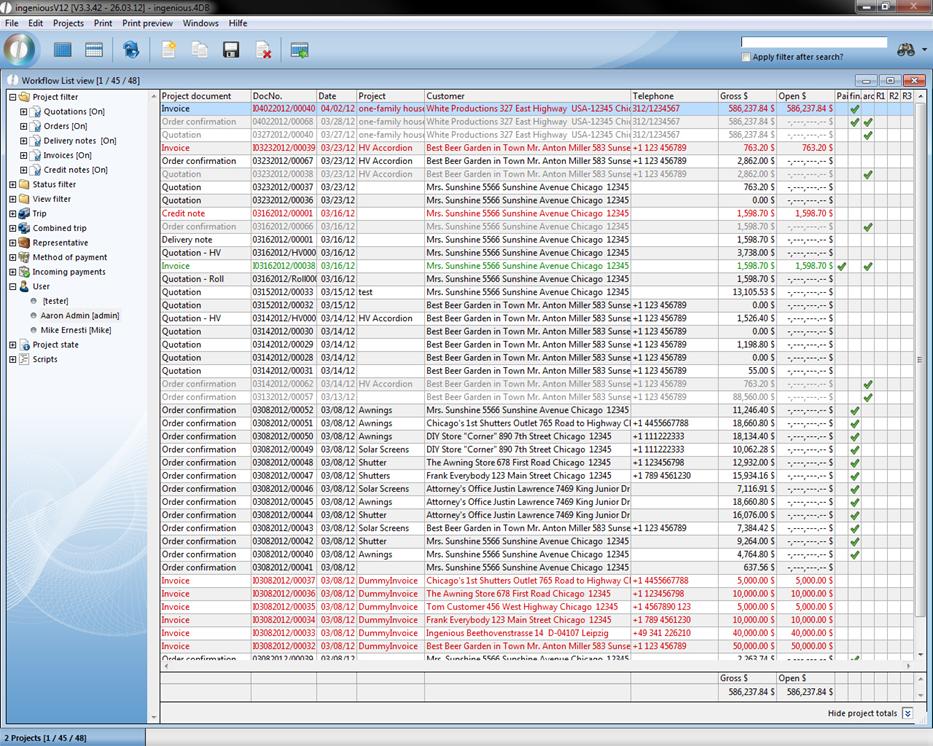
The list views in the workflow modules are kept in the same style, just as the other modules. On the left you will find the choice fields for the document filters and on the right appears the list with the questioned search results. You use the filters as usual. You can filter according to projects, statistics, time periods, trips, representatives, payment types, incoming payments, users and project status filter. In order to indicate the suitable projects, highlight the fields in front of the filter of the project and mark the status filters with a green checkmark. With the documents that should not be shown, you remove the checkmark. You make a change in each case by double-clicking the field in front of the filter description. Behind the name, the status “[in]” appears for a set filter or “[out]” from for a deactivated one. Afterwards click on project selection.
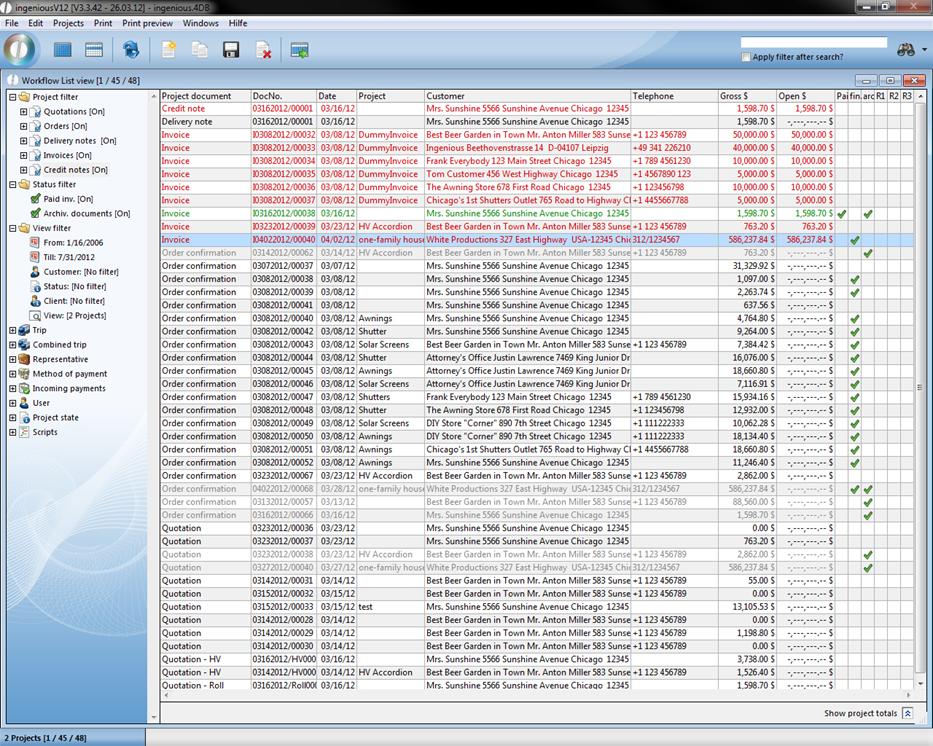
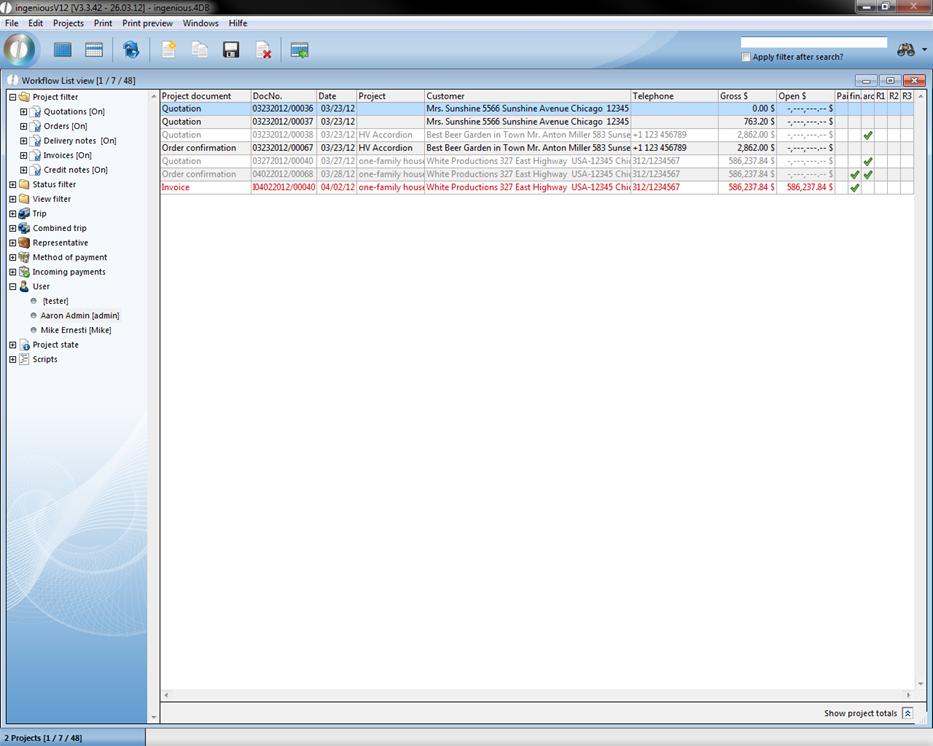
If you want to filter only according to open invoices in the sales list view, for example, place a checkmark only in the “Invoices” project filter and remove the checkmark in the status filter “Paid Invoices”. If you now click on the update button  , only the projects and documents relative to the query are shown.
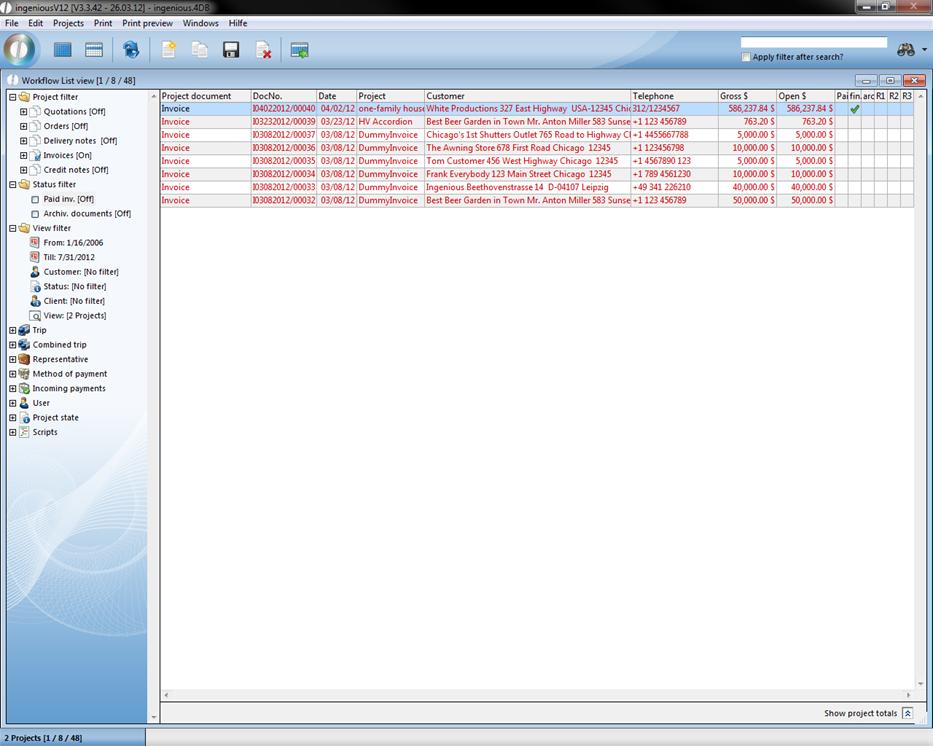
Filter-updated query
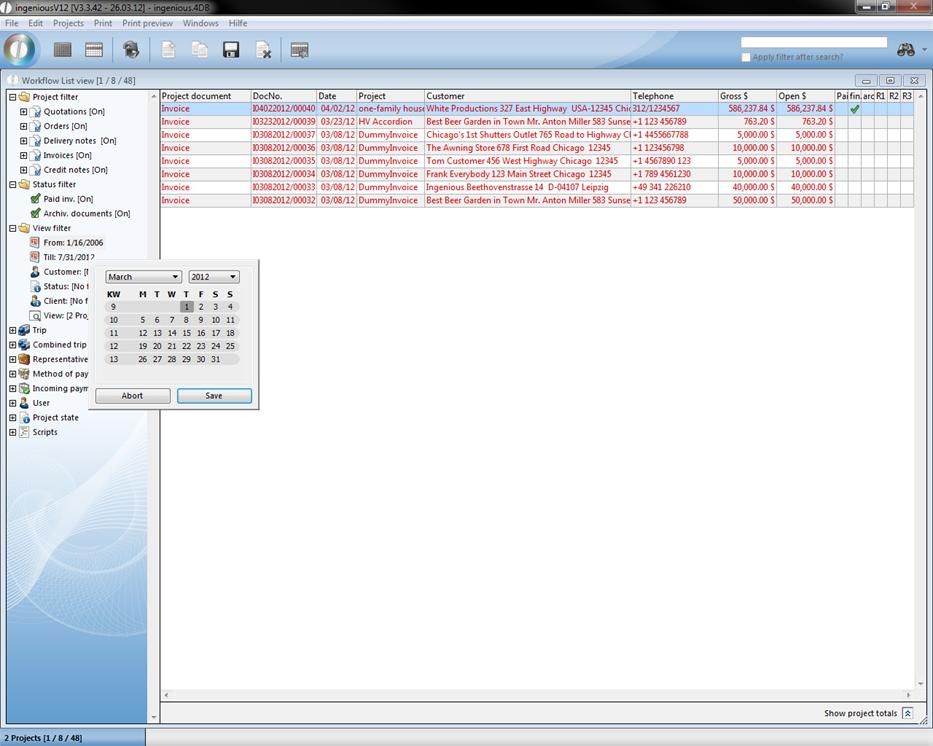
In the report filter, you can determine the time period in which certain documents have been created. After double-clicking on the icon, a calendar appears with which you can comfortably choose the desired beginning date or final date. By clicking on the contact, you arrive at the contact module and you can accept by double-clicking on the desired record for the filter query.
The “Project status” folder contains a large number of other filter possibilities that you can define in the program settings. You determine the project status with the project settings.
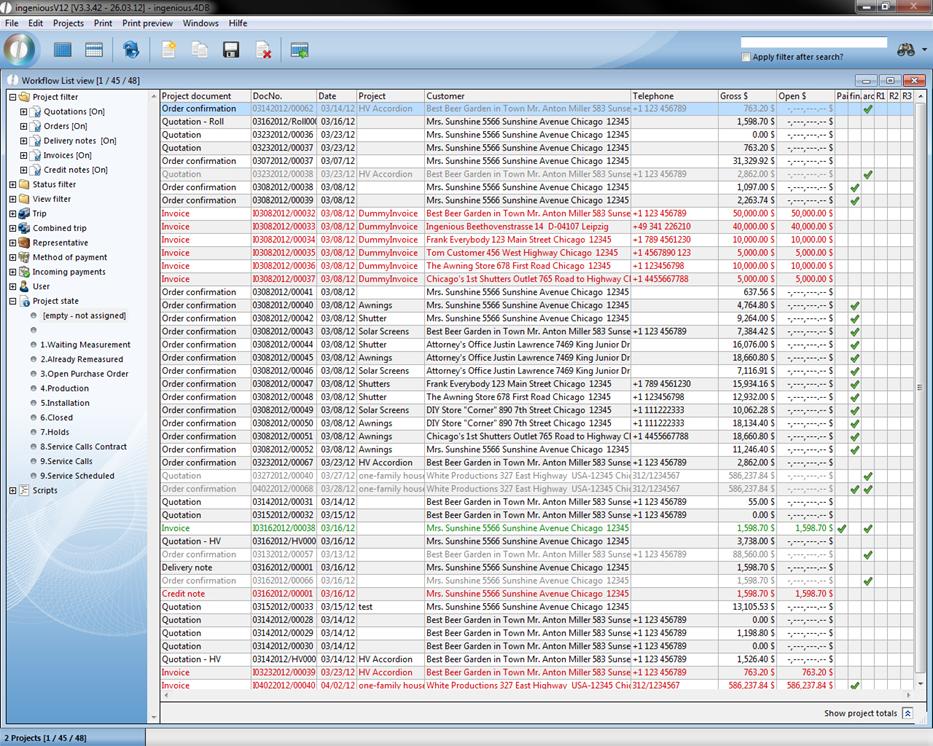
Besides you can even show only the documents created by you. By clicking on your name in the “User” folder, the respective documents are filtered. You will proceed exactly the same way in the search of projects of single representatives, trips or payment type. You will soon estimate the filter function if the number of the projects and documents on an unclear number has evolved.
In the list view you can have the sum of the current view displayed by clicking . In the calculation all columns having a dollar value will be included.